Step 1. Download the samples
PingOne iOS
To download or clone a copy of the SDK Sample Apps repo, complete these steps:
-
In a web browser, navigate to https://github.com/ForgeRock/sdk-sample-apps.
-
Download the source code using one of the following methods:
- Download a ZIP file
-
-
Click Code, and then click Download ZIP.
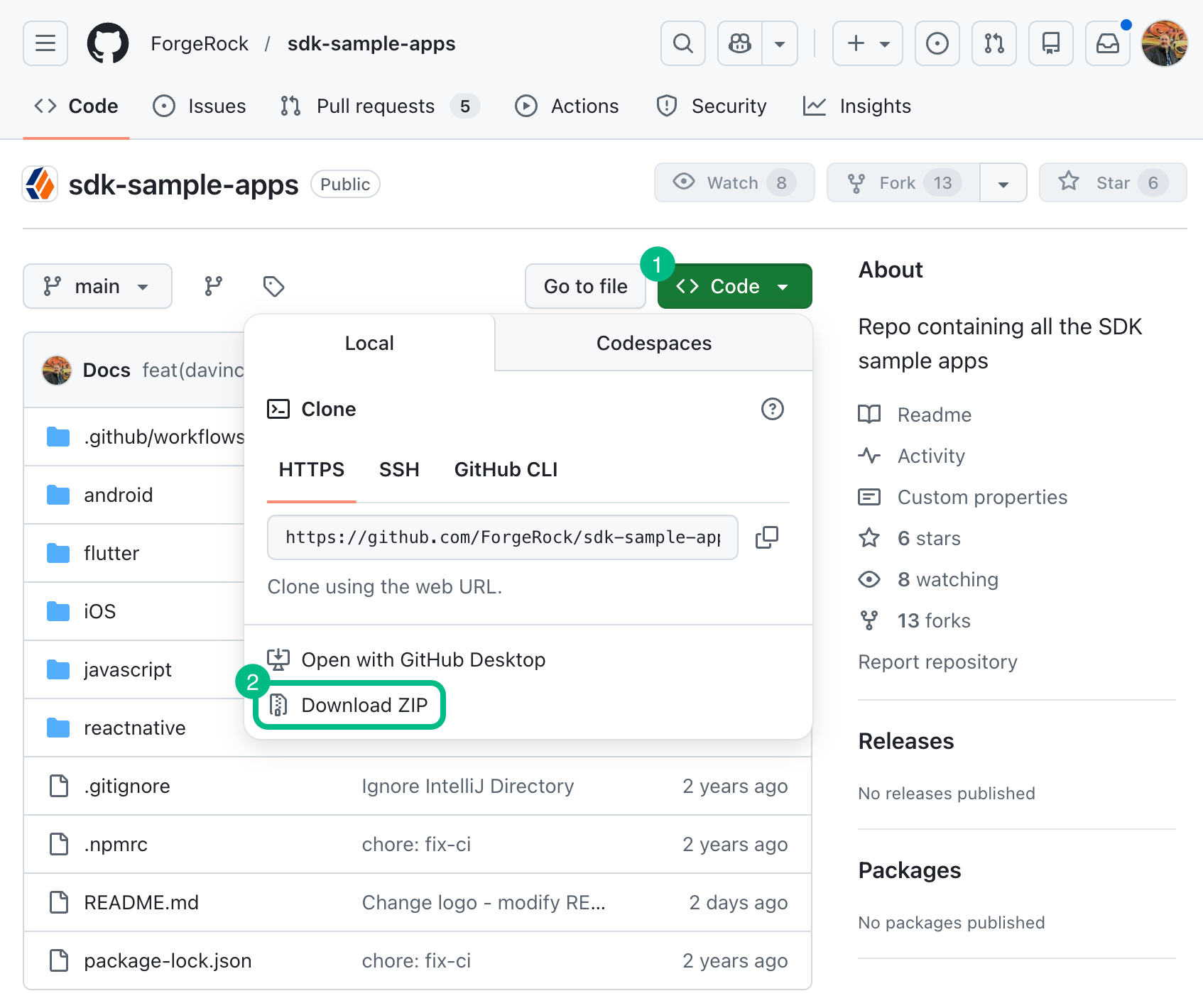 Figure 1. Downloading a zip file of the sample apps repo.
 -
Extract the contents of the downloaded ZIP file to a suitable location.
-
- Use a Git-compatible tool to clone the repo locally
-
-
Click Code, and then copy the HTTPS URL.
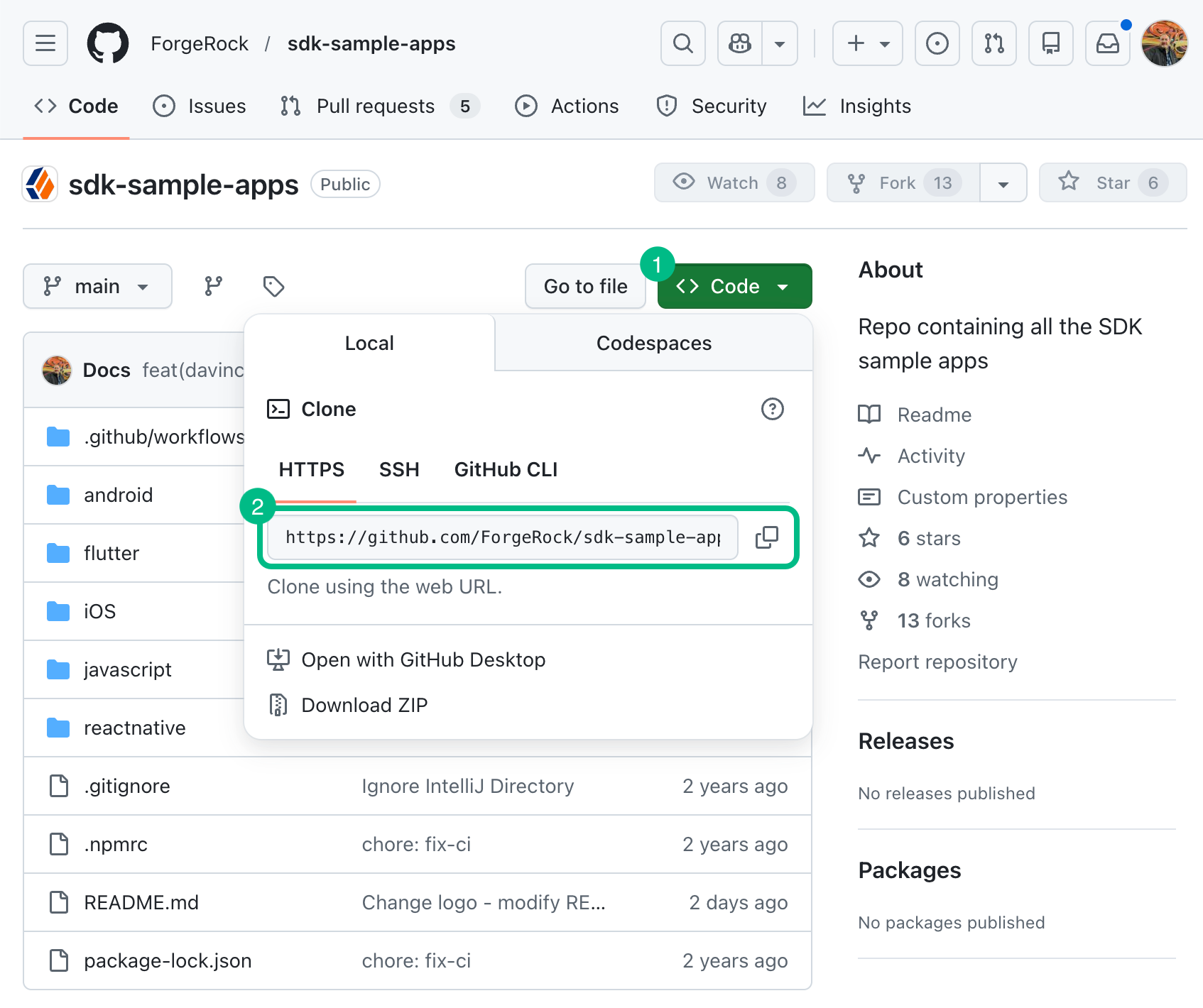 Figure 2. Downloading the sample apps repo using Git clone.
 -
Use the URL to clone the repository to a suitable location.
For example, from the command-line you could run:
git clone https://github.com/ForgeRock/sdk-sample-apps.git
-
After completing these steps, you will have a local folder named sdk-sample-apps. Inside, you’ll find separate folders for the Android, iOS, and JavaScript sample app projects.